
1、简单介绍
InfluxDB 是一个时间序列数据库,用于处理海量写入与负载查询。InfluxDB旨在用作涉及大量时间戳数据的任何用例(包括DevOps监控,应用程序指标,物联网传感器数据和实时分析)的后端存储。
三大特性
时序性(Time Series):与时间相关的函数的灵活使用(诸如最大、最小、求和等);
度量(Metrics):对实时大量数据进行计算;
事件(Event):支持任意的事件数据,换句话说,任意事件的数据我们都可以做操作。
2、下载与安装
由于实际项目运行在window环境下,只做window的安装介绍
InfluxDB默认使用的两个http端口:8083,8086
 port 8083:管理页面端口,访问localhost:8083可以进入你本机的influxdb管理页面;
 port 8086:http连接influxdb client端口,一般使用该端口往本机的influxdb读写数据。
下载
直接从官网下载或者使用如下地址下载
https://dl.influxdata.com/influxdb/releases/influxdb-1.7.6_windows_amd64.zip下载解压后
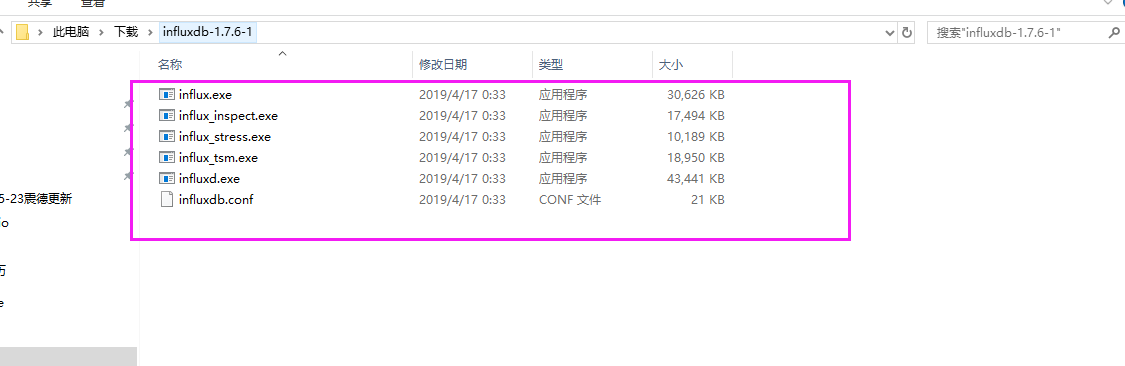
在当前的influxdb文件下打开cmder,输入如下命令生成配置文件
influxd.exe config > auto.conf打开auto.conf,调整 [meta] dir [data] dir wal-dir 默认路径有可能存在权限问题无法读写
[meta]
  dir = "D:\\Influxdb17\\.influxdb\\meta"
  retention-autocreate = true
  logging-enabled = true

[data]
  dir = "D:\\Influxdb17\\.influxdb\\data"
  index-version = "inmem"
  wal-dir = "D:\\Influxdb17\\.influxdb\\wal"
使用配置文件运行
influxd.exe -config .\auto.conf结果显示如下
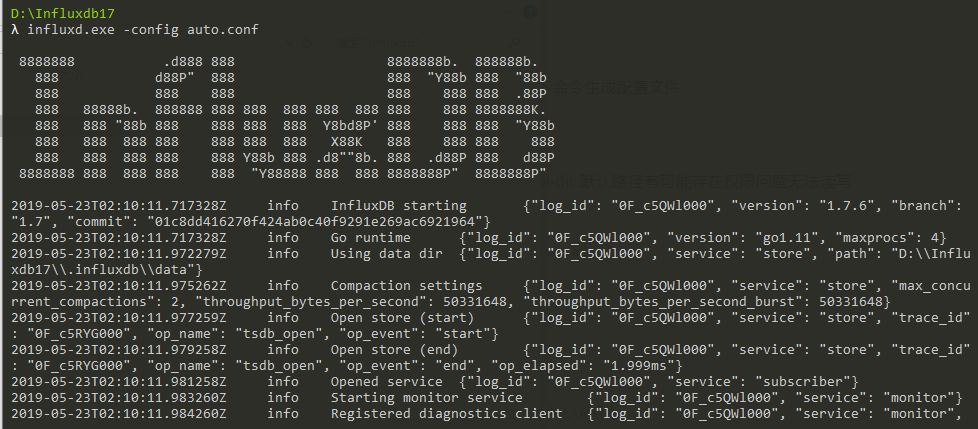
3、链接与操作
在当前的文件夹下新打开一个cmder窗口,直接输入如下命令运行
influx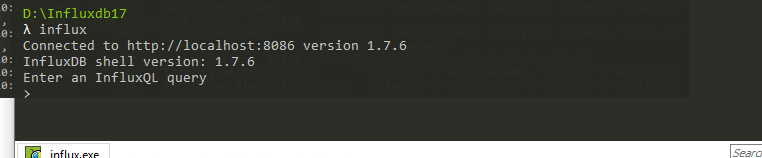
influxdb基本操作整理如下
| 操作 | SQL |
|---|---|
| 显示用户 | show users |
| 创建用户 | create user "username" with password "password" |
| 创建管理员权限用户 | create user "username" with password 'password' with all privileges |
| 删除用户 | drop user "username" |
| 添加权限 | GRANT ALL PRIVILEGES TO username |
| 查看权限 | SHOW GRANTS FOR admin |
| 修改用户(密码) | SET PASSWORD FOR username = ‘password’ |
| 撤消权限 | REVOKE ALL ON mydb FROM admin |
| 显示所有数据库 | show databases |
| 使用数据库 | use testdb |
| 显示所有表 | show measurements |
| 查询表 | select * from csm_status |
| 创建表, 直接在插入数据的时候指定表名 | insert test,host=127.0.0.1,monitor_name=test count=1 其中: 1、table:test 2、tag: host=127.0.0.1,monitor_name=test 3、field:count=1 注意tag与field直接不需要逗号 |
| 创建数据库 | create database "db_name" |
整理状态返回码以及说明
| 状态码 | 说明 |
|---|---|
| 204 No Content | Success! |
| 400 Bad Request | Unacceptable request. Can occur with a Line Protocol syntax error or if a user attempts to write values to a field that previously accepted a different value type. The returned JSON offers further information. |
| 401 Unauthorized | Unacceptable request. Can occur with invalid authentication credentials. |
| 404 Not Found | Unacceptable request. Can occur if a user attempts to write to a database that does not exist. The returned JSON offers further information. |
| 500 Internal Server Error | The system is overloaded or significantly impaired. Can occur if a user attempts to write to a retention policy that does not exist. The returned JSON offers further information. |
HTTP API示例
查询
#查询表的内容
http://localhost:8086/query?db=testDb&u=func&p=passwd&q=select%20*%20from%20csm_mach_spindle_detail
#显示所有数据库
http://localhost:8086/query?u=admin&p=admin&q=SHOW%20DATABASES
添加
curl -i -XPOST 'http://127.0.0.1:8086/write?db=testDb' --data-binary 'test,host=127.0.0.1,monitor_name=test count=1'评论
暂无评论
评论(0)